
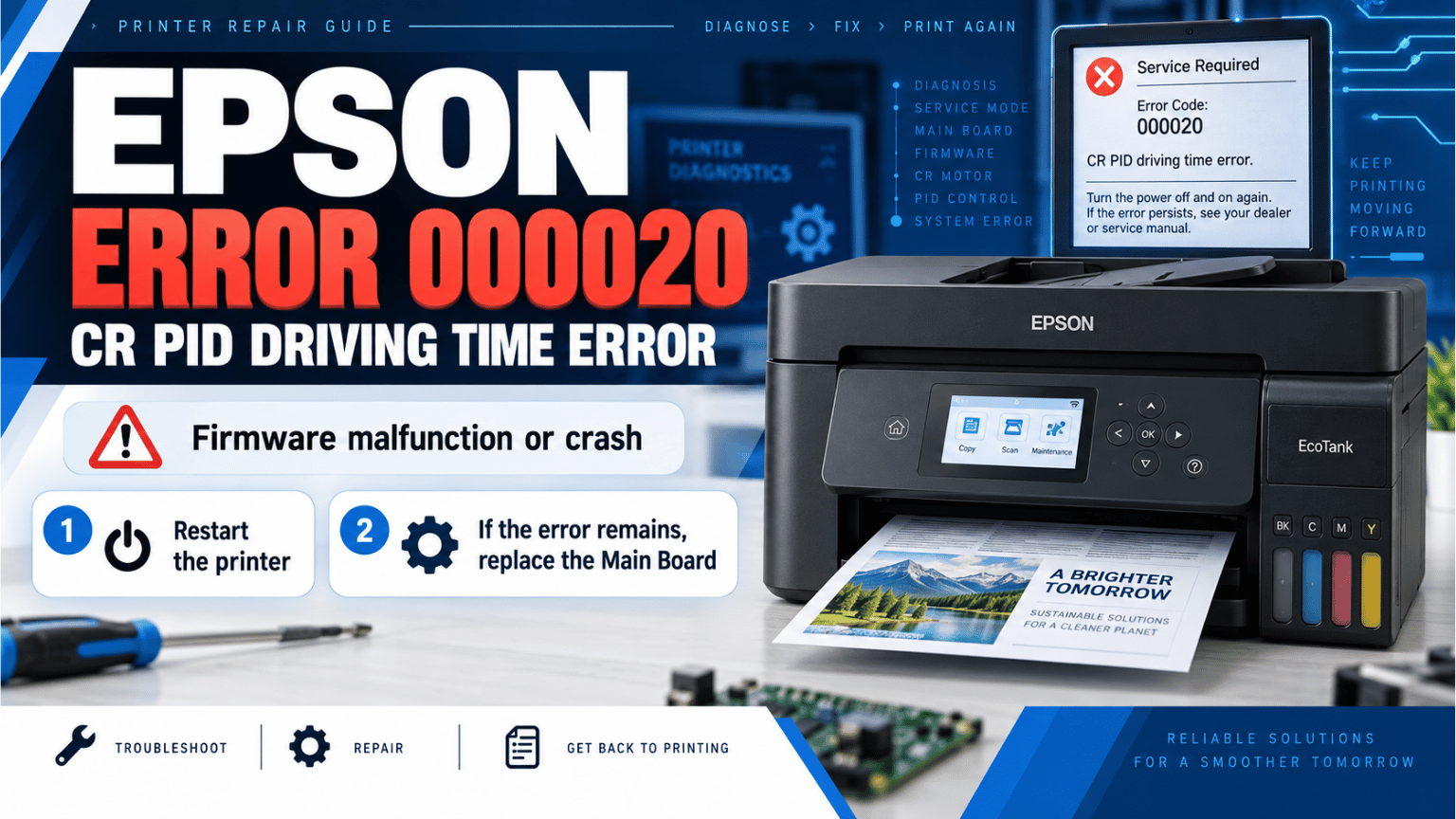
The 000020 error code on certain Epson EcoTank printers is identified in the official service documentation as a CR PID Driving Time Error.
Unlike other carriage-related fatal errors, code 000020 is not primarily described as a paper jam, dirty encoder strip, damaged timing belt, or failed CR motor. Epson associates this specific code with a firmware malfunction or crash.
This distinction is important because several CR errors look similar at first, but their troubleshooting procedures are very different.
This guide applies to the printer families covered by the same service manual:
The complete error name is:
000020 – CR PID Driving Time Error
Here, CR refers to the carriage system: the mechanism that moves the print head from side to side during printing and maintenance operations.
However, with error 000020, Epson's troubleshooting table does not identify a mechanical carriage problem as the main cause.
The possible cause given by the service manual is a:
firmware malfunction or firmware crash.
In practical terms, the printer's control system has encountered a problem while managing the carriage drive operation.
That does not automatically mean that the CR motor is defective.
This is probably the most important part of diagnosing this fault.
Epson uses several error codes beginning with 00002x, but they do not all indicate the same problem.
For example:
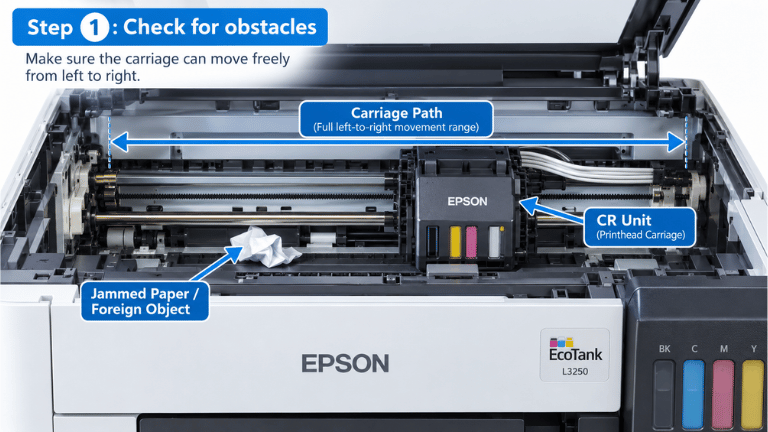
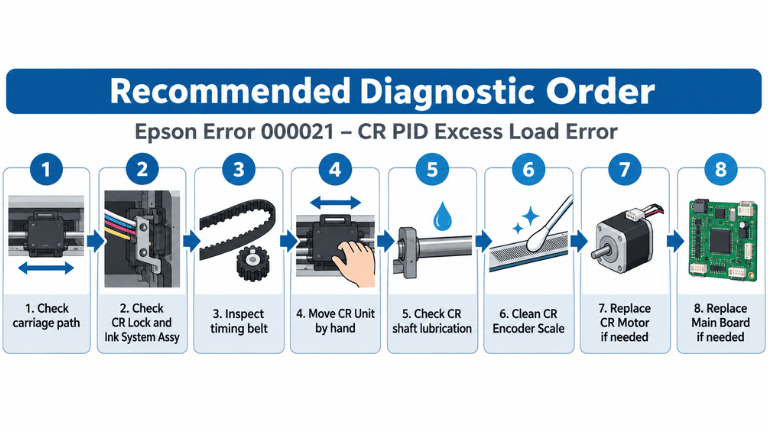
000021 – CR PID excess load error
This code can be related to:
The service manual gives a much longer mechanical inspection procedure for error 000021.
By comparison, 000020 has a very short troubleshooting procedure because Epson identifies firmware malfunction or crash as the cause.
This is why I would not start replacing the CR motor or cleaning the encoder strip simply because the code contains the letters “CR”.
According to the service manual, the first procedure for error 000020 is very simple:
Turn the printer off and turn it back on.
I recommend doing a complete restart rather than repeatedly pressing the power button.
If the printer starts normally and the fatal error does not return, the problem may have been a temporary firmware crash.
In that case, I would test the printer with a nozzle check or a normal print job before considering any hardware replacement.
This is where the official procedure becomes very clear.
If error 000020 continues after restarting the printer, Epson instructs the technician to:
replace the Main Board.
There are no additional steps in the 000020 entry telling the technician to replace:
Those components are part of the troubleshooting procedure for other CR errors, but not for code 000020.
Therefore, if you are following the service manual strictly:
Restart → error returns → Main Board diagnosis/replacement.
The Main Board controls the printer's motors, sensors, firmware execution and communication between the different mechanisms.
Because error 000020 is classified as a firmware malfunction/crash rather than a mechanical overload, the service manual directs the repair toward the electronic control side when restarting does not solve the problem.
This is different from 000022 – CR PID excess speed error, for example, where Epson specifically lists possible problems with the CR Encoder Scale, CR Encoder FFC, CR Encoder Sensor and Main Board.
That difference is useful when troubleshooting.
Main suspected cause: Firmware malfunction/crash.
Possible causes include:
CR encoder reading problems, encoder FFC damage, encoder sensor failure or Main Board failure.
The error number matters.
Not as the primary solution specified by Epson.
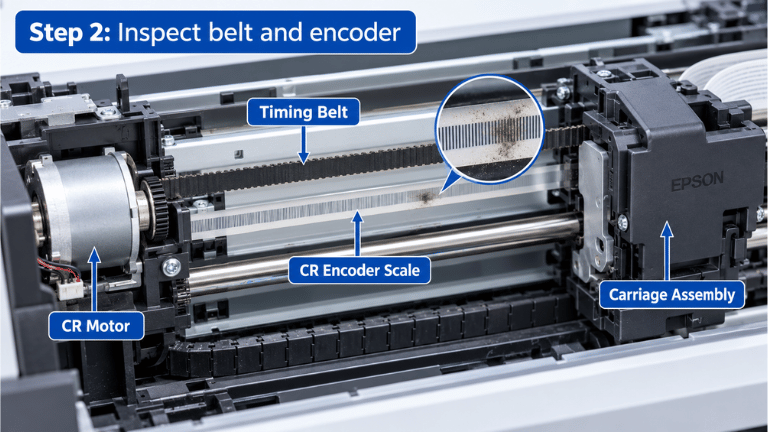
Cleaning the CR Encoder Scale is part of the troubleshooting procedure for errors such as 000021, 000022, 000023 and 000024, where encoder reading or carriage movement problems are listed among the possible causes.
For 000020, the service manual only provides two steps:
So if the printer reports exactly 000020, I would diagnose it according to that code instead of treating every carriage-related error in the same way.
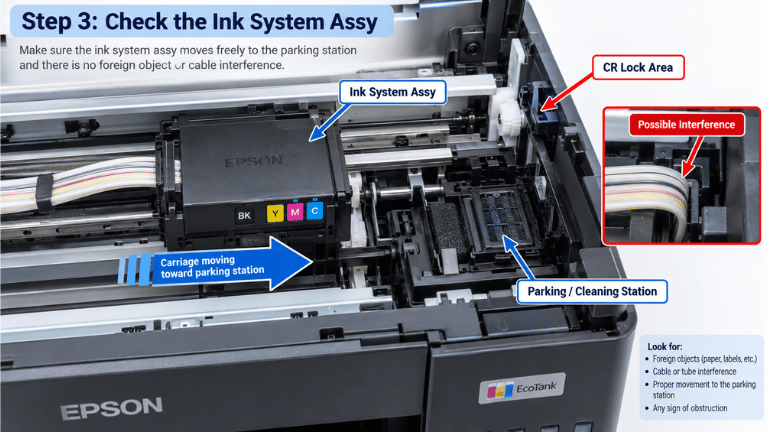
Not according to the service manual.
A CR motor problem is explicitly listed under other carriage error codes, such as 000021, but not under error 000020.
This is useful because replacing a motor unnecessarily can waste time and money without solving the fault.
Always confirm the complete fatal error code before replacing parts.
If you actually find paper, a foreign object, excessive resistance or another mechanical problem in the carriage path, you may be dealing with a different CR error.
For example, Epson associates 000023 – CR PID reverse error with conditions including carriage obstruction, interference with the ink system, timing belt problems and CR encoder faults.
Therefore, don't diagnose solely from the fact that “the carriage does not move.”
Check the recorded error code.
Two printers with similar symptoms may have completely different causes.
For this particular code, I would keep the diagnosis simple and follow the service documentation:
Step 1 – Confirm the error code
Make sure the fatal error is actually:
000020
and not:
000021000022000023000024000025
The troubleshooting procedure changes significantly between these codes.
Step 2 – Restart the printer
Power the printer off and back on as Epson specifies.
Step 3 – Test again
If the printer initializes normally, perform a basic printing test and observe whether the error returns.
Step 4 – If 000020 returns
According to the service manual, the next corrective action is Main Board replacement.
Normally, this is not a Windows driver error.
Code 000020 belongs to the printer's Fatal Error Code List, and the service manual identifies the cause as a firmware malfunction/crash inside the printer system.
Reinstalling the Windows printer driver is therefore not the repair procedure specified for this error.
This is an important distinction between:
printer driver → software installed on your computer;
and
printer firmware → software running inside the printer itself.
Not necessarily.
The manual describes the cause as a malfunction or crash of the firmware.
That wording should not automatically be interpreted as “the firmware file must be downloaded and reflashed.”
In fact, the documented procedure does not instruct the technician to reinstall or update firmware. It first says to restart the printer, and if the error persists, replace the Main Board.
For that reason, I would not recommend flashing random firmware files as the first solution to error 000020.
The service manual where this error is documented covers:
Epson ET-4810 / L5590 Series
Epson ET-2840 / L3560 Series
Epson ET-2830 / L3550 Series.
If you have one of these models and its diagnostic information shows 000020, the troubleshooting procedure above comes directly from the service documentation for this printer family.
Epson fatal error 000020 – CR PID Driving Time Error is one of the carriage-related codes where it is especially important not to overcomplicate the diagnosis.
The Epson service manual identifies the possible cause as a firmware malfunction or crash and gives a very short troubleshooting sequence:
Restart the printer.
If the same error remains after restarting:
Replace the Main Board.
Other CR codes may require checking the timing belt, carriage load, encoder strip, CR motor or sensors, but those procedures should not automatically be applied to 000020.
The best approach is to read the exact fatal error code first and repair according to the procedure corresponding to that code.
 Add Contact: 956598992
Amount to PayS/ 0.00
Add Contact: 956598992
Amount to PayS/ 0.00
Debes escanear el código QR, hacer clic en continuar para adjuntar la captura de pantalla (es el único comprobante de pago) y podrás completar la compra.