
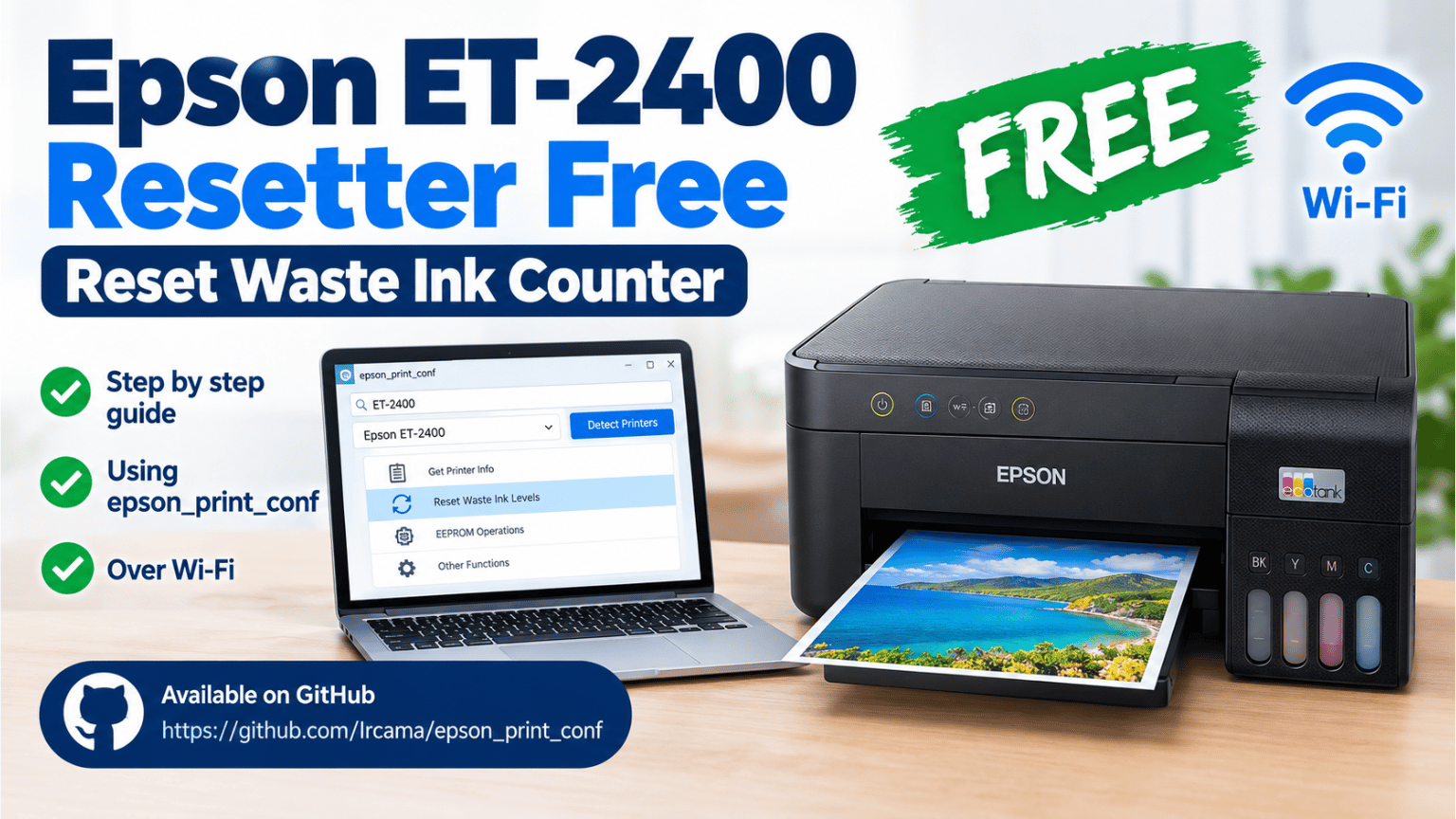
Epson ET-2400 Resetter Free | Reset Waste Ink Counter
If your Epson ET-2400 stopped printing and you see a message related to the end of the ink pad service life, the problem may be related to the printer's waste ink counter.
Epson printers keep an internal counter that records certain cleaning and maintenance operations. When the counter reaches its limit, the printer may display a service message and stop working normally.
In this guide, I will show you how to reset the Epson ET-2400 waste ink counter using epson_print_conf.
I tested this method myself, and the reset can be performed over the network using the printer's Wi-Fi connection.
For this method, we will use epson_print_conf, an open-source project available on GitHub.
The tool allows you to communicate with compatible Epson printers over the network using SNMP and includes an option to reset the waste ink level counter.
You can find the project and download it from the official GitHub repository:
epson_print_conf:
https://github.com/Ircama/epson_print_conf
The option we are interested in is called:
Reset Waste Ink Levels
For this procedure, the Epson ET-2400 must be connected to Wi-Fi.
Your computer and the printer should be connected to the same local network so that epson_print_conf can communicate with the printer.
You will also need to know the printer's IP address.
Before using epson_print_conf, we need to find the IP address assigned to the printer.
If your Epson printer has a display or control panel, you can normally print a network status sheet from the network settings.
Make sure there is paper loaded in the printer.
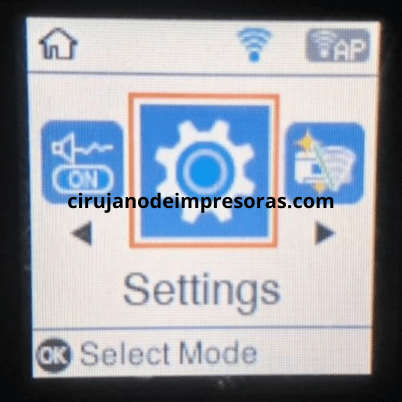
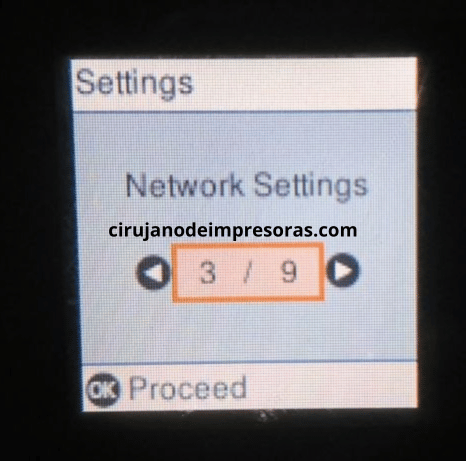
The screenshots below were taken from an Epson L3160 and are being used as a visual reference.
The procedure for the Epson ET-2400 is different because it does not have the same type of display. However, the purpose is the same: we need to obtain the printer's IP address.
First, access Settings and press OK.
Then select Network Settings and press OK.
Next, select Print Status Sheet and press OK.
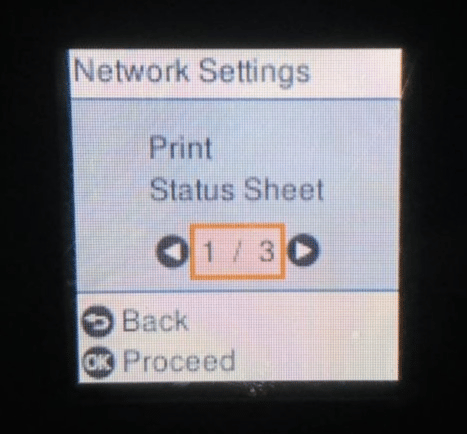
When the printer asks for confirmation, select Yes.
The printer will print the network status sheet. Look for the IP address in the network information.
In my case, the printer's IP address was:
192.168.1.108
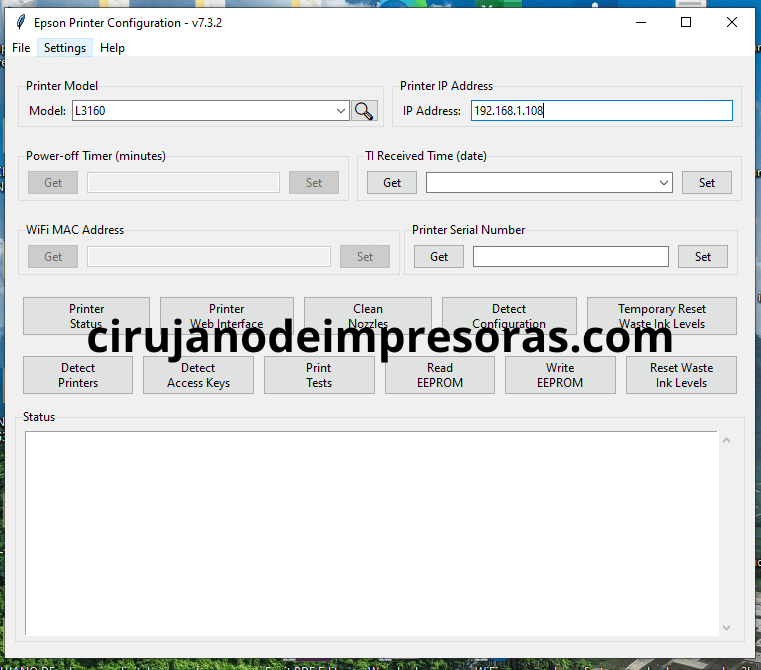
Your IP address will be different, so use the address shown on your own printer's network status sheet.
The Epson ET-2400 does not have a conventional LCD display, so you cannot simply enter a network menu and select the option to print a status sheet.
In this situation, you can use the printer's network status button to print the network information.
First, load plain paper into the printer.
Turn the printer on and wait until it is ready.
Locate the button used for network status or network information.
Press and hold the appropriate network status button for several seconds. The printer should print a network status sheet containing information about the wireless connection.
Look for the IP address on the printed sheet.
Note: The buttons and button combinations can vary between Epson models. If you are not sure which button to use, check the user manual for your specific printer model before continuing.
Once you have the printer's IP address and have confirmed that the printer is connected to your Wi-Fi network, we can start the reset procedure.
Open epson_print_conf on your computer.
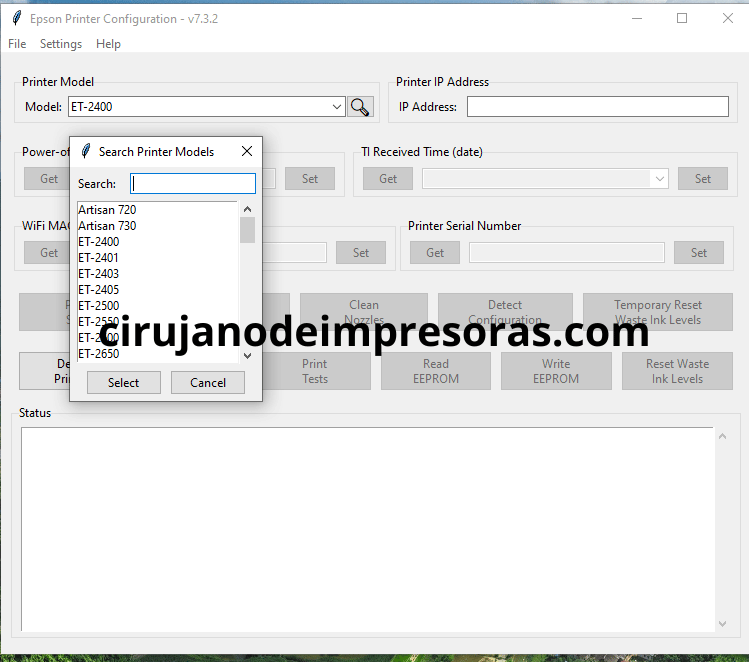
In the program, select the printer model.
Use the search icon if necessary and type:
ET-2400
Make sure you select the correct model before continuing.
Now click:
Detect Printers
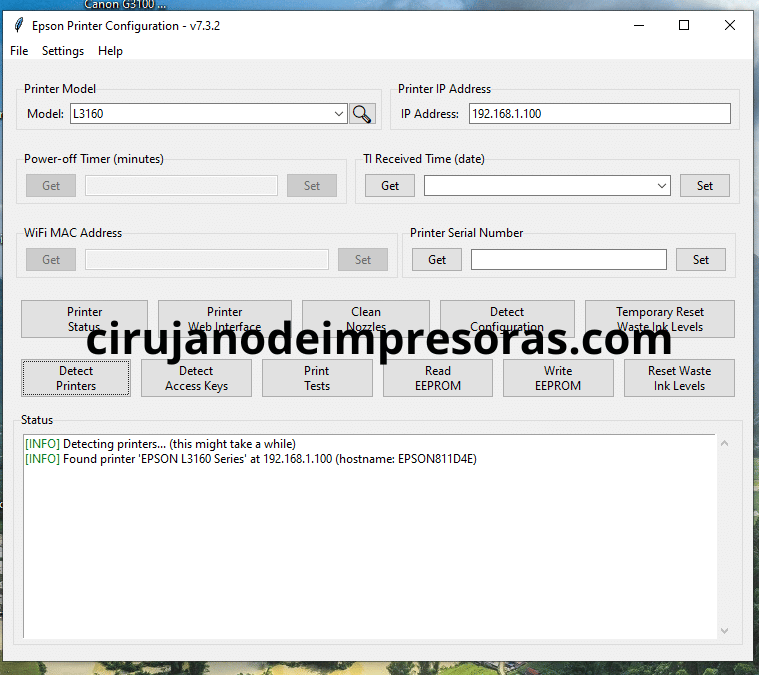
The program will search for Epson printers available on the network.
If everything is configured correctly, your Epson printer should be detected.
Remember that the printer and computer need to be able to communicate through the same network.
Once the printer has been detected, look for the following option:
Reset Waste Ink Levels
Click it to start the waste ink counter reset.
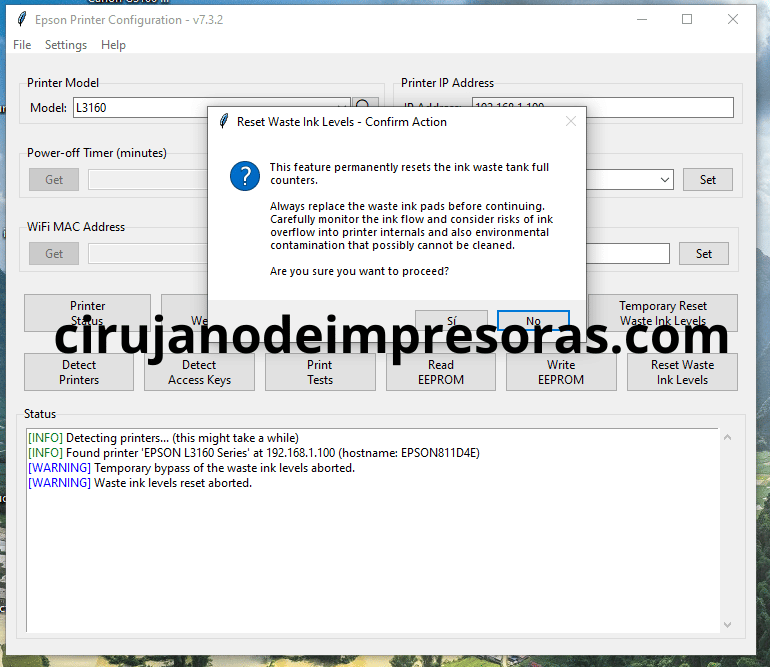
The program will ask you to confirm the operation.
Click Yes to continue.
After the reset has been completed, you may be asked to turn the printer off and then turn it back on.
Turn off the Epson ET-2400, wait a few seconds, and turn it on again.
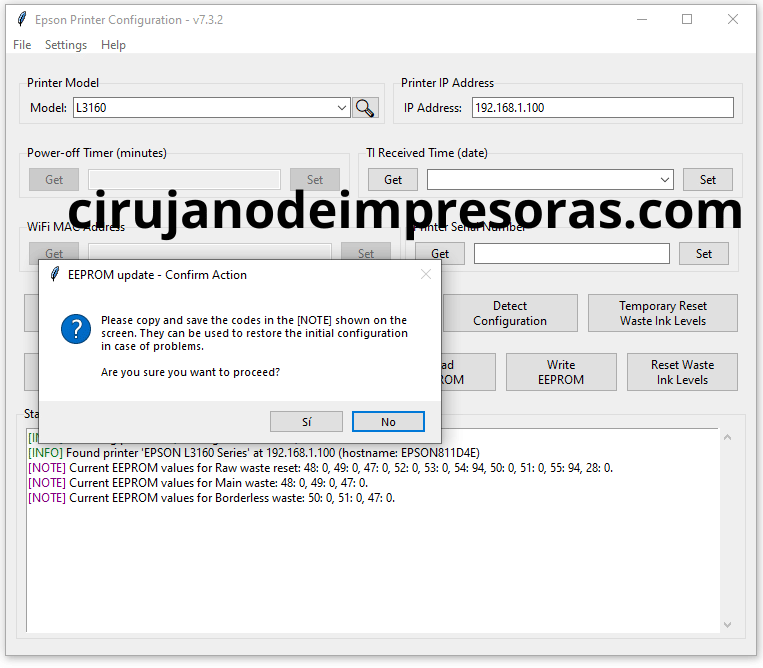
The waste ink counter has now been reset using epson_print_conf.
After restarting the printer, check whether the previous maintenance or waste ink warning has disappeared.
You can also print a test page to make sure the printer is working normally again.
Keep in mind that resetting the waste ink counter does not physically replace or clean the ink pads.
The counter is electronic, while the ink pads are physical components inside the printer.
If the printer has accumulated a significant amount of waste ink, proper maintenance should also be considered to prevent ink from eventually leaking inside the printer.
If you were looking for an Epson ET-2400 resetter free, the method shown in this guide uses the open-source epson_print_conf project.
Instead of using an unknown resetter from a third-party website, I recommend getting the software directly from its official GitHub project.
The tool provides the Reset Waste Ink Levels function that we used in this guide.
You can download the Epson ET-2400 using the image below.
The download button will become available after 60 seconds.
Model: Epson ET-2400
Operating system: Windows
Connection: WIFI
Main function: Waste ink counter service
Language: English
Password: cirujanodeimpresoras.com
Your download will be available in 60 seconds…

Resetting the Epson ET-2400 waste ink counter is relatively straightforward when the printer is connected to Wi-Fi and you know its IP address.
With epson_print_conf, you can communicate with the compatible Epson printer through the network and use the Reset Waste Ink Levels option to reset the counter.
Remember to select ET-2400 in the program and make sure the printer and computer are connected to the same network.
I hope this guide helps you get your Epson ET-2400 working again.
Thanks for visiting Cirujano de Impresoras. Don't forget to subscribe to our YouTube channel for more Epson, Canon, and Brother printer tutorials, tools, and solutions.
 Add Contact: 956598992
Amount to PayS/ 0.00
Add Contact: 956598992
Amount to PayS/ 0.00
Debes escanear el código QR, hacer clic en continuar para adjuntar la captura de pantalla (es el único comprobante de pago) y podrás completar la compra.