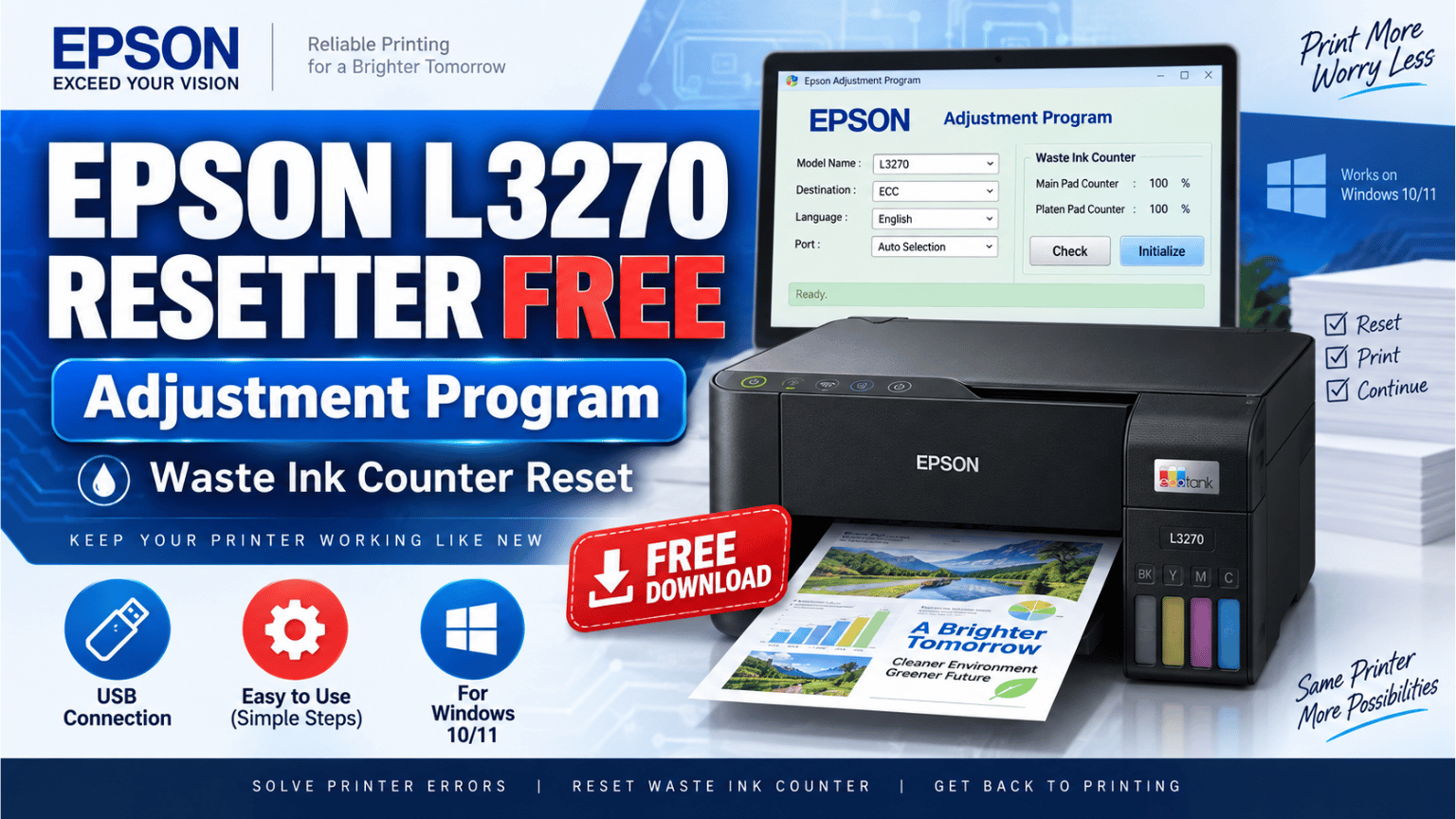
The Epson L3270 is one of the newer EcoTank models commonly found in the European market. Because of this, finding clear information about its reset procedure can be more difficult than with older Epson models such as the L3250 or L3210.
If your Epson L3270 has reached its waste ink counter limit, the Adjustment Program can be used to access the printer's service functions and reset the corresponding maintenance counter.
In this guide, I will show you what the program is used for, what you should check before resetting the printer, and how to download the Epson L3270 Resetter.
The Epson L3270 Resetter is an Adjustment Program, a service utility designed to access maintenance functions that are normally unavailable from the standard Epson printer driver.
One of its most useful functions is checking and initializing the waste ink counter.
Epson printers keep an internal record of the ink discharged during print head cleaning, ink charging and other maintenance operations.
When this counter reaches its programmed limit, the printer may stop working and request service.
The Adjustment Program allows the technician to read the counter and, after servicing the printer, initialize it again.
https://cirujanodeimpresoras.com/descarga
Every time the printer performs a cleaning cycle, some ink is discharged from the print head.
That ink does not simply disappear. It is collected by the printer's waste ink system.
Over time, Epson estimates how much ink has accumulated and stores this information in an internal counter.
When the limit is reached, the printer can display a maintenance warning or stop printing.
Resetting the counter tells the printer that the corresponding maintenance has been performed.
However, there is something important to understand.
Resetting the counter does not physically remove the waste ink.
If the printer has been heavily used, the waste ink pads should also be inspected and serviced when necessary.
The Epson L3270 belongs to the same general EcoTank platform used by several models sold in different regions.
Some closely related models include:
Because Epson often uses similar hardware across regional models, some service tools may communicate with more than one printer from the same family.
That does not mean that every L3250 Adjustment Program will automatically work with an L3270.
The safest way to confirm communication is to use Check before using Initialize.
If the program correctly reads the counter values, that is a much better indication that communication is working.
I recommend connecting the printer directly to the computer using a USB cable.
Make sure Windows detects the printer correctly before opening the service program.
Then:
If the software shows a communication error, do not repeatedly press Initialize.
First verify the USB connection, printer driver and Adjustment Program version.
This is one step I always recommend.
Open the waste ink counter section and press:
Check
The program should read the value stored in the printer.
If you receive normal percentage or counter values, communication between the Adjustment Program and the printer is working.
If the program returns strange values or cannot communicate with the printer, stop the procedure and check the software compatibility.
Once you have confirmed that the Adjustment Program correctly communicates with the printer, you can continue with the reset.
Select the counter that needs to be initialized and press:
Initialize
Wait until the procedure is complete.
Do not disconnect the USB cable, turn off the computer or close the Adjustment Program while it is writing information to the printer.
When the program asks you to do so, turn the Epson L3270 off.
Wait a few seconds and turn it back on.
You can then return to the counter section and press Check again to verify the new value.
It is worth repeating this because it is one of the most common mistakes with Epson resets.
The software changes an internal counter.
It does not:
If the printer has been used extensively, inspect the waste ink system before resetting the counter.
You can download the Epson L3270 Adjustment Program using the image below.
The download button will become available after 60 seconds.
Model: Epson L3270
Software: Epson Adjustment Program
Operating system: Windows
Connection: USB
Main function: Waste ink counter service
Language: English
Password: cirujanodeimpresoras.com
Your download will be available in 60 seconds…

For service operations, I recommend using USB.
A direct USB connection is more reliable and makes it easier to determine whether the Adjustment Program is communicating correctly with the printer.
Some Epson models share very similar service platforms, and technicians sometimes find that one Adjustment Program communicates with another regional variant.
However, never start by pressing Initialize.
The safer test is:
Connect printer → Check counter → confirm correct values → Initialize only if communication is correct.
This is especially important with newer European models such as the L3270.
First check the USB cable and make sure the printer is correctly installed in Windows.
You can also try another USB port.
If Windows detects the printer but the Adjustment Program does not, the software version may not support the L3270 configuration you are trying to use.
Do not force the reset using random model selections.
No.
The Adjustment Program should only be used when the problem is related to the maintenance or waste ink counter.
Mechanical and electronic errors require a different diagnosis.
For example, carriage errors, paper feed problems, scanner failures and motherboard faults are not repaired simply by resetting the waste ink counter.
The Epson L3270 Resetter is useful when the printer reaches its maintenance counter limit, but the reset should always be treated as part of the repair process, not as the entire repair.
Check the counter first.
Inspect the printer when necessary.
And only use Initialize once you know that the Adjustment Program is communicating correctly with the Epson L3270.
That simple approach is safer than repeatedly trying different service programs without knowing what they are actually changing inside the printer.
 Add Contact: 956598992
Amount to PayS/ 0.00
Add Contact: 956598992
Amount to PayS/ 0.00
Debes escanear el código QR, hacer clic en continuar para adjuntar la captura de pantalla (es el único comprobante de pago) y podrás completar la compra.